How to find a co‑op game to play with friends
Lobbli team · Updated · 6 min read
Finding a good co-op game isn't the hard part. Finding one that fits your group's size, platforms and budget, and then getting everyone online on the same night, is. Here's how to do it in six steps, with free tools.
Your group
- YouYouPC
- MiraMiraPC
- JonasJonasPlayStation 5
- LeaLeaMacBook
- NoahNoah€10 max
- SvenSvenFridays only
1. Agree on the basics
Before anyone opens Steam, answer four questions in the group chat:
- How many players?Count who'll actually show up.
- Which platforms?PC and console mixed needs crossplay.
- Online or couch?Split screen is a separate feature.
- What budget?Free, cheap, or anything goes.
Most co-op games stop at four players, so group size rules out the most. If you already know what you need, start from a list of 2-player, 4-player or split-screen co‑op games.
2. Make a shortlist
Aim for three to five games. Good places to look:
- Steam's Online Co-Op tag, and “More like this” on games your group already liked.
- r/CoOpGaming for picks from groups your size.
- Games you already own. Ask, or paste everyone's Steam profile into What can we all play? to see the co-op games you all have. Their game details need to be public: here's how.
- New releases, if the group wants something fresh: our co-op release calendar lists them day by day.
- Free games and demos, if anyone's unsure. They cost nothing to try.
Tip: Let everyone veto one game. It's faster than a debate.
3. Check the real player count
A co-op tag tells you a game has co-op. It doesn't tell you how many can play, or whether the whole game works together.
Store page
Fine print
- 2 players max
- Progress saved for the host only
- No crossplay
Look each game up on Co-Optimus or PCGamingWiki. Both list online, local and LAN player counts separately. While you're there, check:
- whether progress saves for everyone, or only for the host
- whether friends can join in the middle of a session
- crossplay, if you're on different platforms
4. Find the best price
Search the game on IsThereAnyDeal. It compares Steam with other stores and shows the price history, so you can tell a real sale from the usual price. IsThereAnyDeal vets every store it lists, so you will only find legit, licensed sellers there.
If it's near its historical low, buy. If not, add it to your ITAD waitlist (it emails you when the price drops) and pick something else for this week.
You may not all need a copy:
- Friend's Pass: Split Fiction and It Takes Two let one owner invite a friend for free.
- Remote Play Together: Steam streams local multiplayer games to friends who don't own them.
- Steam Families won't help: two people can't play the same shared copy at once.
5. Or try it with Steam's refund window
Steam refunds any game within 14 days of purchase if you've played less than two hours. Each player gets their own two hours, so the whole group can try a game together and refund it if it doesn't click.
- 10 min Launch and settings
- 20 min Intro and tutorial
- 70 min Playing together
- 20 min Decide and refund
Out of 120 minutes: 10 minutes launch and settings, 20 minutes intro and tutorial, 70 minutes playing together, 20 minutes decide and refund.
Buy on Steam when nobody's sure about the game, or when Steam's price is within a few euros/dollars of the cheapest. Keys from other stores follow that store's rules, which usually means no refunds.
Wait for a deal when you already know the group will love it.
Use it fairly. Valve can stop refunds for accounts that abuse them.
6. Pick a time
Mira: game night thursday?
Lea: can’t thursday. friday?
Jonas: friday i’m out
Noah: sorry just saw this, what are we playing
Group chats are bad at scheduling. Three things help:
- Offer two concrete times instead of asking when people are free.
- Use a poll. WhatsApp, Discord and Telegram all have one built in.
- Install the day before. A 40 GB update at 8 pm ends game night early.
Or do it all in one place
Full disclosure: we make Lobbli, a free game night planner that puts these steps on one page. Your group can search games by player count, see who owns what on Steam, compare IsThereAnyDeal prices, vote, and find a time that works.
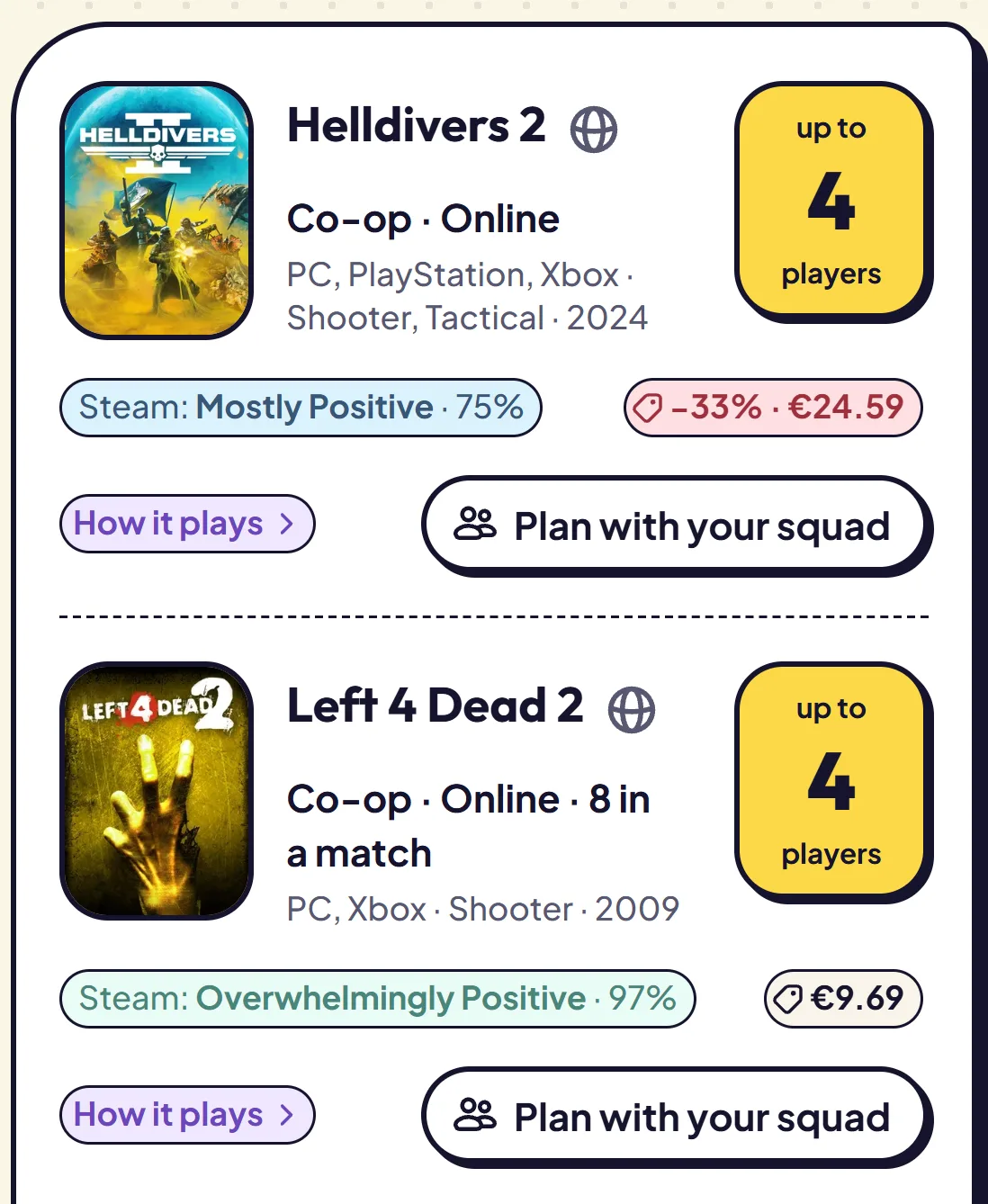
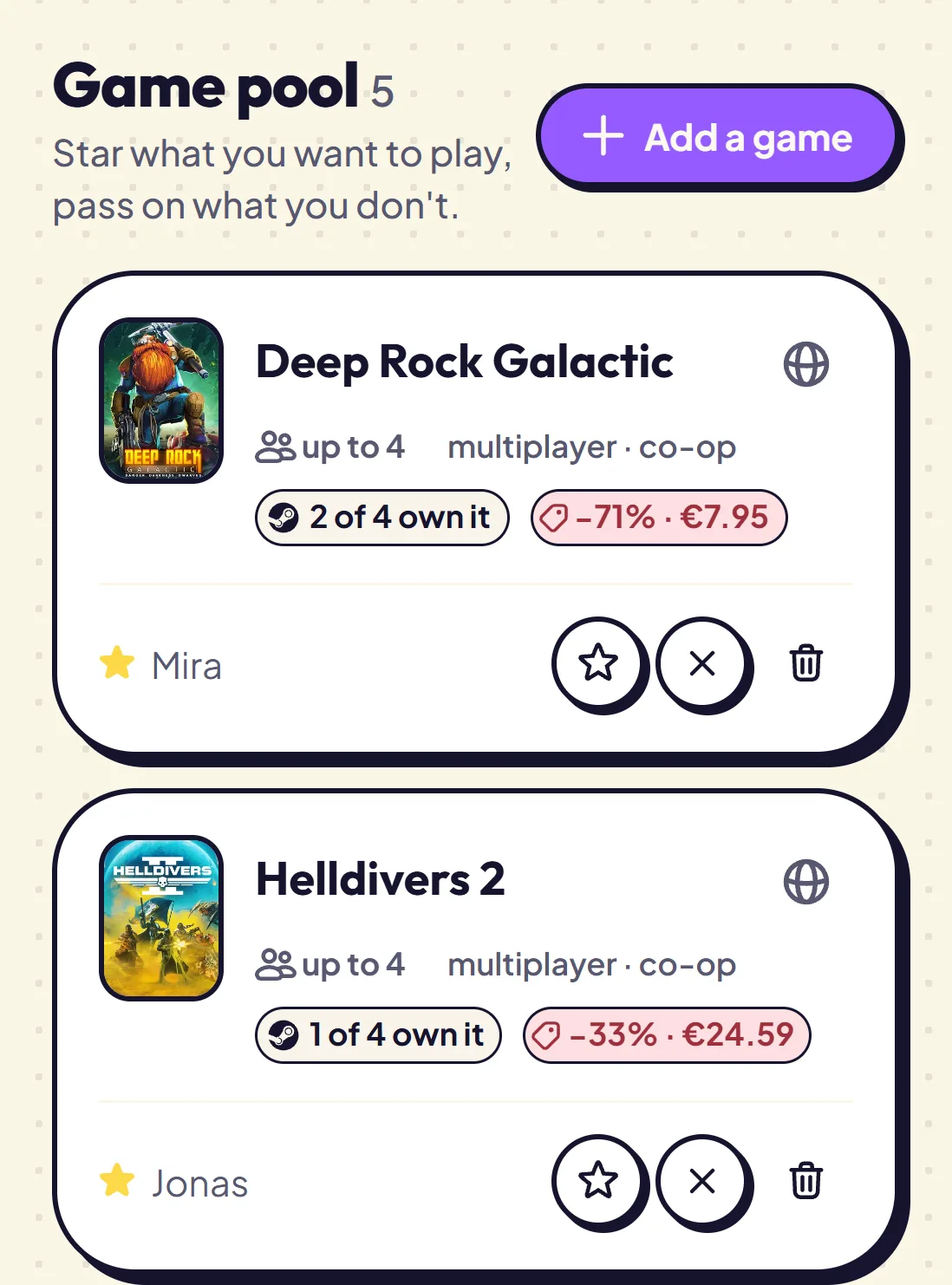
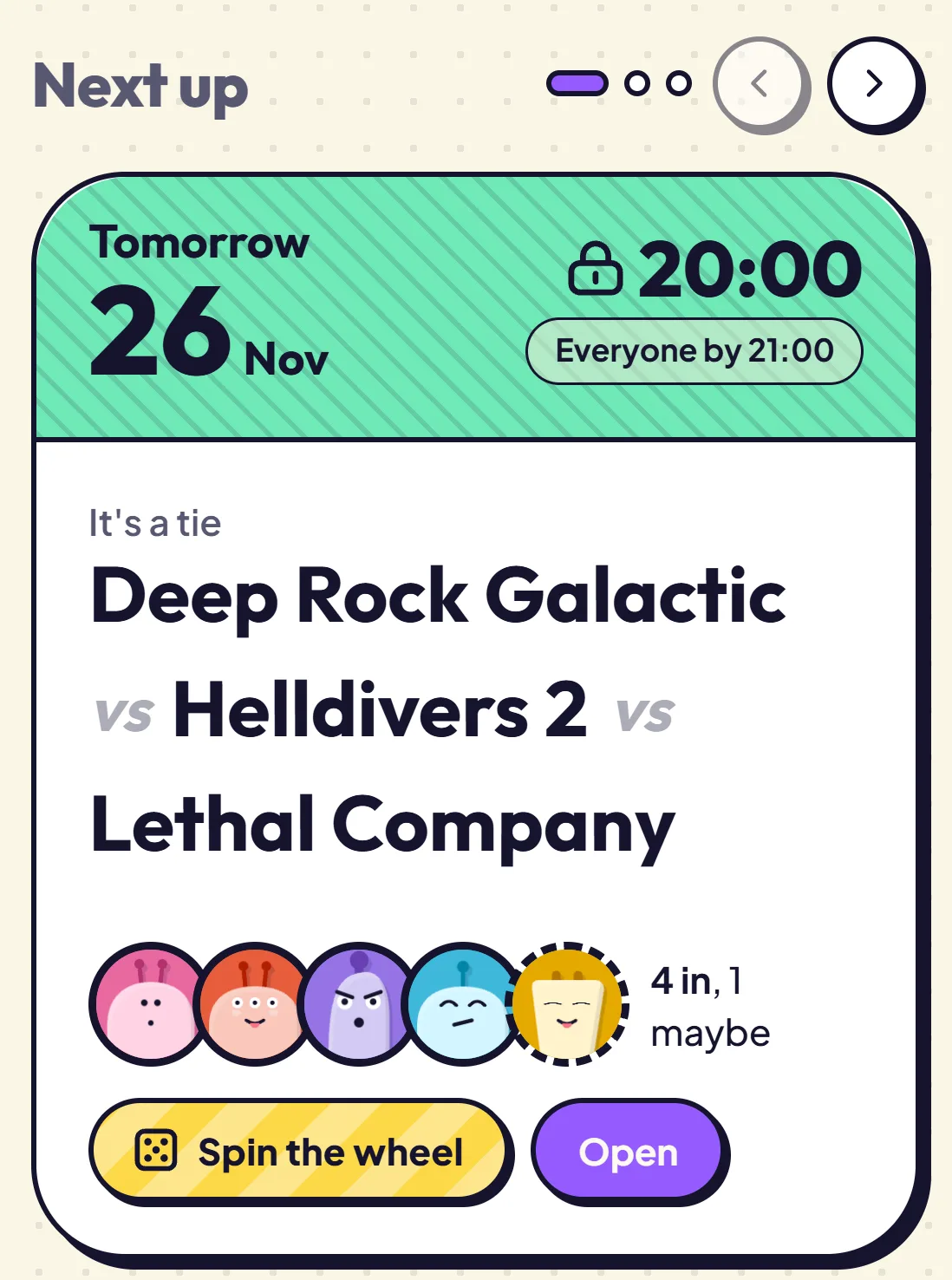
It reads game ownership from public Steam libraries only, so it works best for PC groups.
Common questions
How do I find out how many players a game supports?
Check Co-Optimus or PCGamingWiki. Both list online, local and LAN player counts. Steam often mentions it only in the description, if at all. You can also check our own Games database.
Can friends play if only I own the game?
Sometimes. Games with a Friend's Pass let one owner invite a friend, and Steam Remote Play Together streams local multiplayer games. Most online co-op games need a copy each.
Is it okay to refund a Steam game after trying it with friends?
Yes. Steam refunds any game within 14 days and under two hours of play, for any reason. Just don't use it to finish short games for free.
Can you refund a game you gifted to a friend?
Yes. An unredeemed gift can be refunded anytime within the 14 days. Once your friend has redeemed it, they can request the refund under the same rules, and the money goes back to you.
What are good co-op games for 4 players?
Helldivers 2, Deep Rock Galactic and Left 4 Dead 2 are long-running favourites. For more, browse the 4-player co-op games with prices and player counts.
What co-op games work for more than four players?
Fewer than you'd think. Survival and crafting games with their own servers often allow more, like Valheim with up to 10. In the game database, set the group size to 5 or more.
Can PC and console players play together?
Only in games with crossplay, and it's set per game: some games only connect certain platforms. Check the store page or PCGamingWiki. Everyone still needs a copy on their own platform.
Is IsThereAnyDeal safe to buy from?
IsThereAnyDeal doesn't sell games itself. It compares prices and sends you to the store, where you buy as usual. It only lists official stores and licensed key sellers.
Where can I find upcoming co-op games?
Our co-op release calendar lists new co-op and multiplayer games day by day, with platforms and player counts.